

Before you start
- A Numeral account with admin access
- Admin access to SYSPRO, with SYSPRO’s AvaTax Sales Tax Integration available for the company you want to connect
- The SYSPRO company code you want to connect (for example
T) - US addresses on your customers and ship-to addresses. This connection calculates US sales tax only.
Each Numeral SYSPRO connection is for one SYSPRO company and one mode (production or test). To connect several companies, or to set up both test and production, create one connection for each.
Part 1: Create the connection in Numeral
- In Numeral, go to Connections and click Add connection.
- Search for SYSPRO and select it.
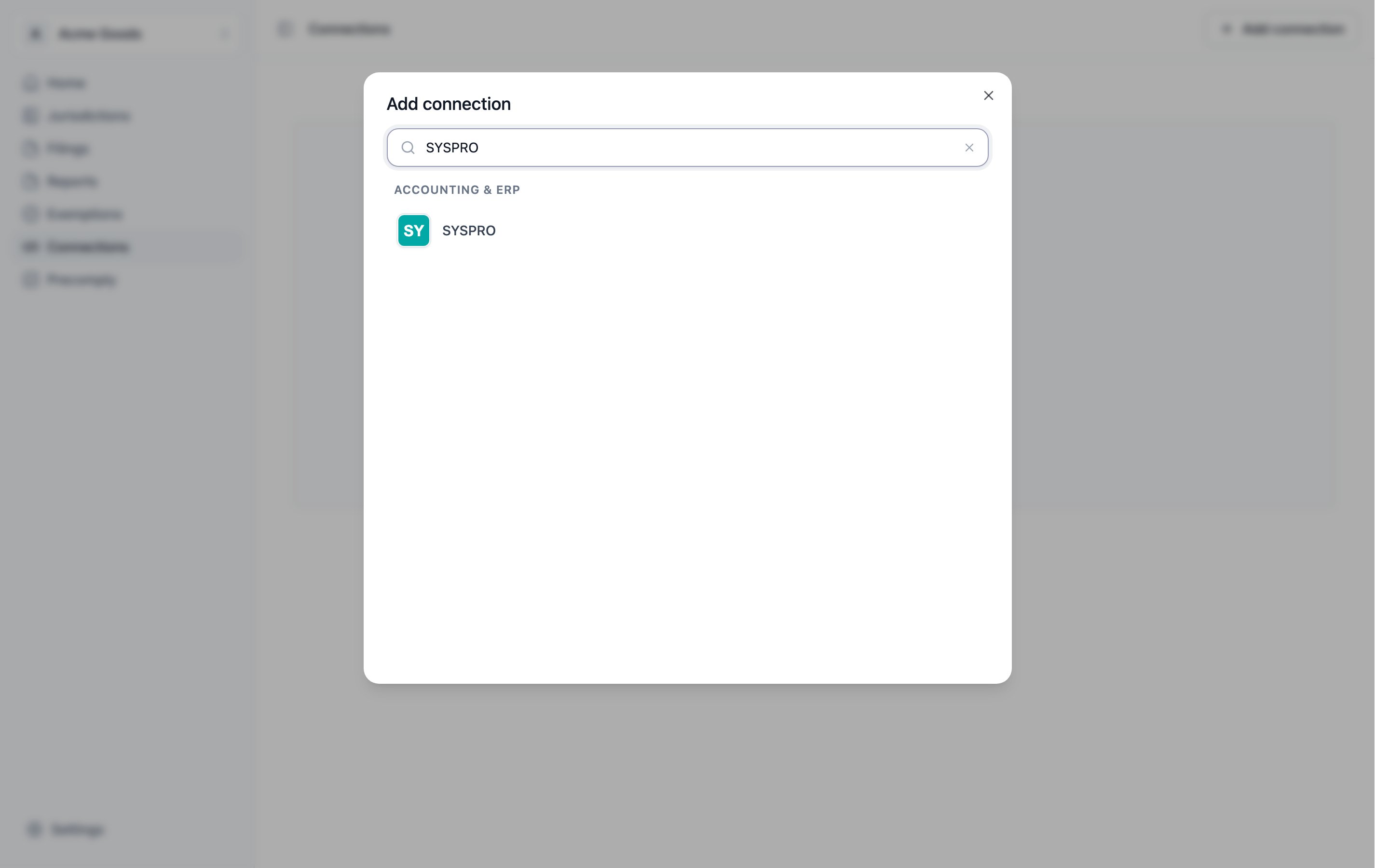
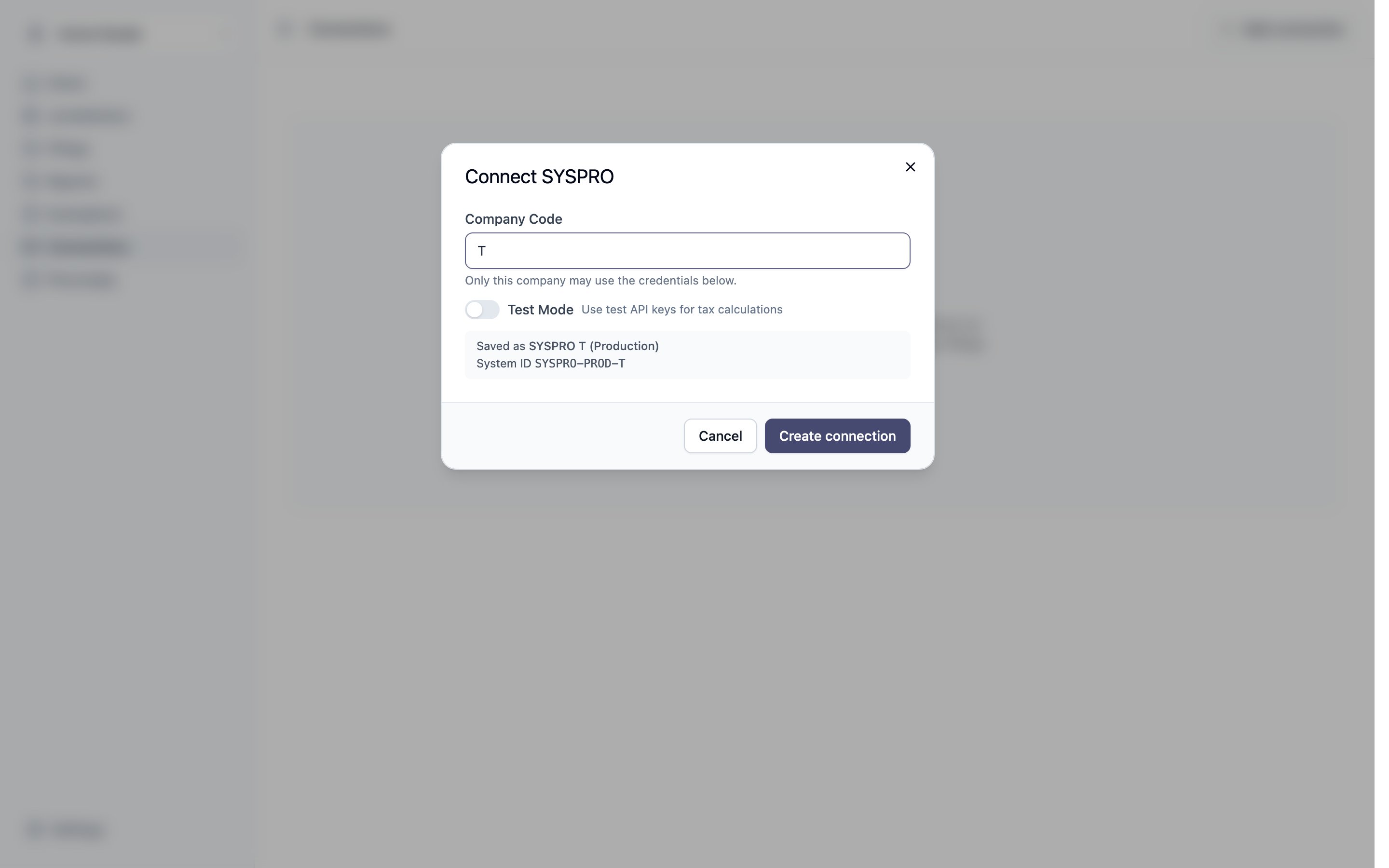
- Enter your SYSPRO Company Code. Only this company can use the credentials Numeral creates.
- Turn on Test Mode if this connection is for testing. Test connections calculate tax with your test API keys and are never filed. Leave it off for production.
- Check the name under Saved as (for example SYSPRO T (Production)), then click Create connection.
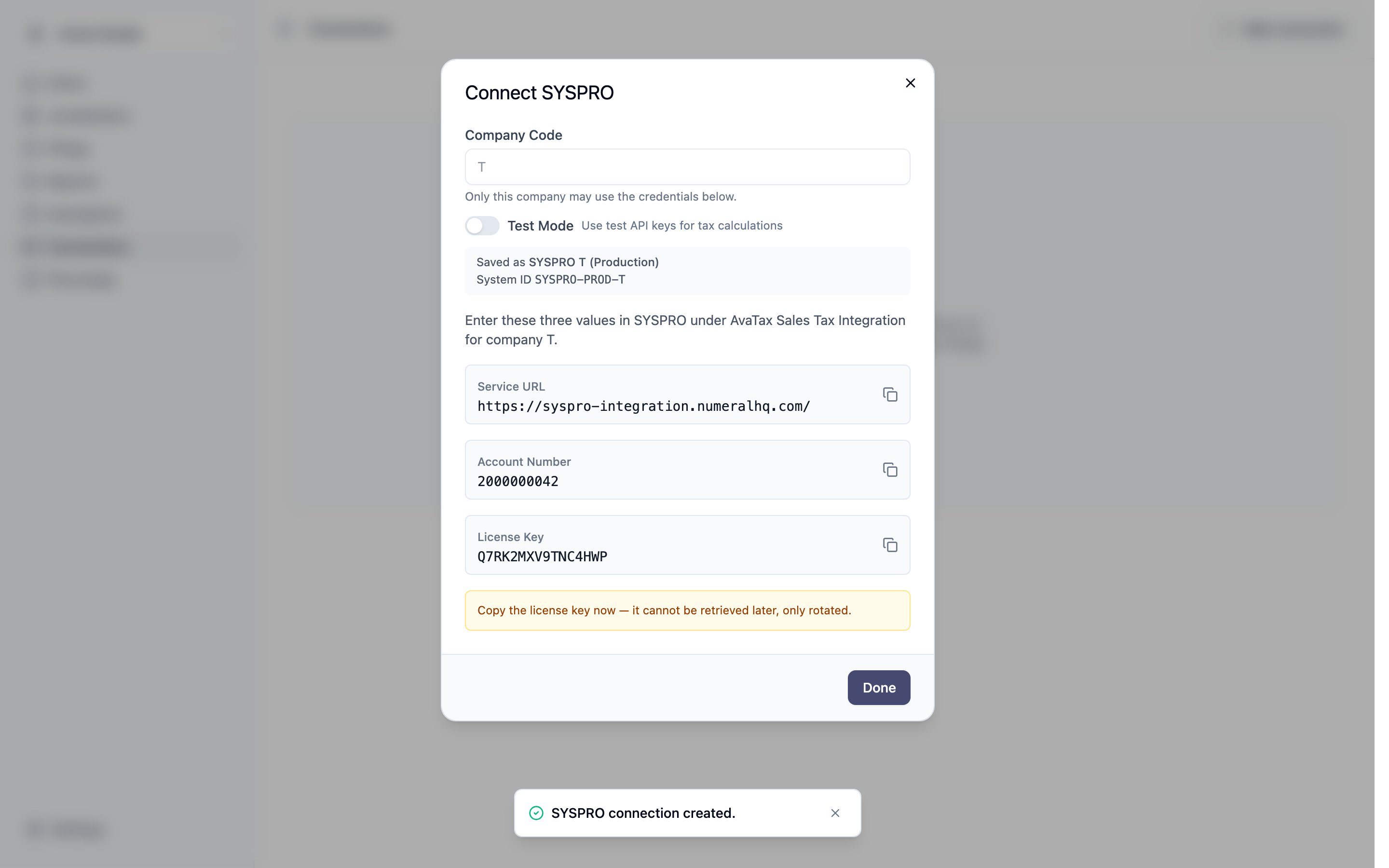
- Numeral shows three values: Service URL, Account Number, and License Key. Copy each one with its copy button.
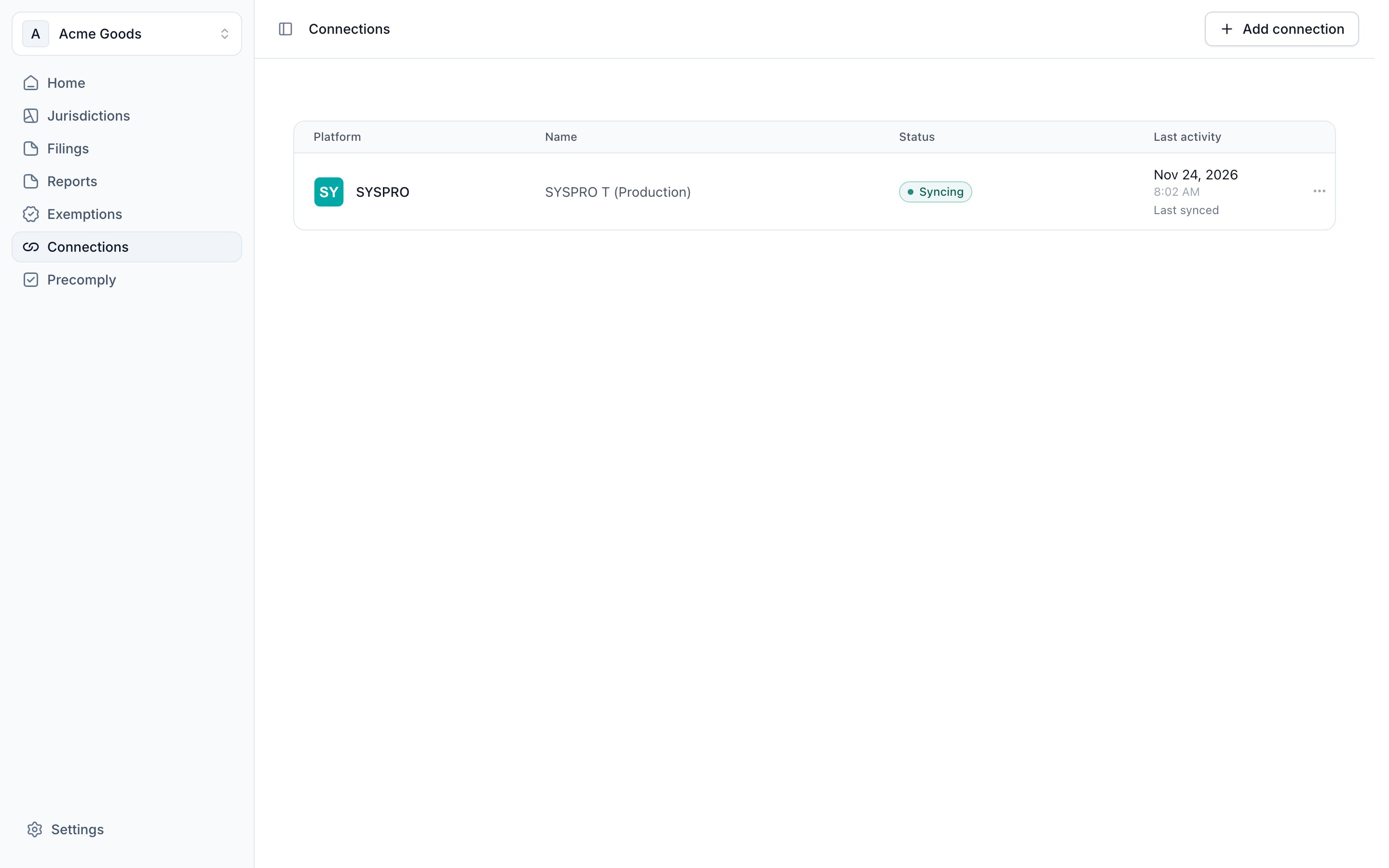
- Click Done. The connection appears on the Connections page.
Part 2: Enter the credentials in SYSPRO
- In SYSPRO, open the AvaTax Sales Tax Integration settings for the company you entered in Part 1.
- Enter the three values from Numeral:
- Use SYSPRO’s Test Connection button to check the connection.
The connection test succeeds. If it reports an authentication failure, see Troubleshooting.
How the integration works
Sales orders. When SYSPRO asks for tax on a sales order, Numeral calculates it and returns it to SYSPRO. Nothing is recorded for filing at this stage. Invoices. When an invoice posts, SYSPRO sends it with a request to commit it. Numeral calculates the tax and records the invoice as a sale for your filings, dated by the invoice date. If Numeral returns the tax but cannot record the invoice, SYSPRO shows the tax as temporary rather than saved. Credit notes. Posted credit notes are recorded in Numeral as refunds. Cancellations. When SYSPRO cancels a posted invoice, Numeral reverses it in full. Test mode. A connection with Test Mode on calculates tax with your test API keys. Its invoices are never included in filings. Customers. When SYSPRO sends a customer code Numeral has not seen before, Numeral creates the customer automatically. Customers created this way are never treated as exempt. A SYSPRO exemption number is kept on the customer for reference, but exemptions are applied from the certificates you manage in Numeral. If a request has no customer and a line carries an exemption number, that line is calculated as non-taxable.Importing your SYSPRO customers
To bring your existing customers into Numeral before you go live:- Export your customers from SYSPRO to a CSV file. Your Onboarding Manager can provide Numeral’s SYSPRO customer export tool, which runs on your SYSPRO server.
- In Numeral, go to Connections, open the menu on your SYSPRO connection, and click Import customers.
- Click Choose CSV, select the file, review the customers, then click Import.
Product categorization
Product categories in SYSPRO do not carry over to Numeral. Categories are set up directly in your Numeral account. During onboarding, your Onboarding Manager will help set up initial product categories in Numeral and show you how to manage them going forward.Troubleshooting
Authentication failed
Authentication failed
SYSPRO’s request did not match an active Numeral connection. Check that:
- The Account Number and License Key in SYSPRO match the values Numeral showed, with no extra spaces.
- The connection still exists on the Numeral Connections page.
- The Service URL is exactly
https://syspro-integration.numeralhq.com/.
"Company … is not enabled on this connection"
"Company … is not enabled on this connection"
The SYSPRO company sending the request is not the company code the connection was created for. Create a separate connection for that company.
"Only US destinations are supported on this connection"
"Only US destinations are supported on this connection"
The order ships outside the US. This connection calculates US sales tax only.
"Line … has no resolvable destination address"
"Line … has no resolvable destination address"
The order line has no usable ship-to address. Complete the customer’s or the order’s ship-to address in SYSPRO and calculate again.
"A SYSPRO connection for this system and company code already exists"
"A SYSPRO connection for this system and company code already exists"
You already have a connection for this company code in the same mode. Use the existing connection, or remove it on the Connections page first if you need new credentials.
How do I replace the license key?
How do I replace the license key?
License keys cannot be viewed or rotated. Remove the connection on the Numeral Connections page, create a new one, and enter its Account Number and License Key in SYSPRO. The old credentials stop working as soon as the connection is removed.
How do I disconnect SYSPRO?
How do I disconnect SYSPRO?
On the Numeral Connections page, open the menu on the SYSPRO connection and remove it. SYSPRO’s requests to Numeral then fail authentication, so switch SYSPRO’s tax integration off or to another provider at the same time. Invoices already recorded stay in your filing history.