

Shopify Sales Channel Categories
Direct-to-Consumer (DTC)
Direct-to-Consumer (DTC)
Sales made directly to the final customer — the end user of your product. Sales through DTC channels are generally considered taxable, unless the product itself is non-taxable in the state where the order is delivered. These sales are typically processed through your Online Store and will be associated with that sales channel. Tax collection on these sales is controlled by product categorization settings and shipping details as normal.See Shopify Partner Access <> Numeral for guidance on troubleshooting tax collection for sales in this category, including important settings and our scope of support.
Marketplace Facilitator
Marketplace Facilitator
Platforms like TikTok Shop, Amazon, Walmart, or the Shopify Shop app.
- These platforms collect and remit sales tax on your behalf.
- Numeral will not remit tax for these sales on your filings, since the marketplace facilitator handles this for you.
Wholesale
Wholesale
Business-to-business (B2B) transactions where the buyer resells the product.
- No sales tax should be collected.
- Always confirm the buyer has a valid reseller certificate.
Configuring exemptions for specific customers is separate from marketplace channel settings. Learn how to set up customer exemptions in Shopify.
Default Configurations to Verify During Onboarding
Numeral pre-flags some sales channels based on historical use cases to streamline setup. Review all defaults to ensure your channel usage aligns with tax treatment on our end.Default Wholesale Channels
- Faire: Sell Wholesale
- Shopify Wholesale (B2B)
- Draft Orders (many clients use this channel for taxable sales — flag it with our team if you don’t have wholesale products)
- Shopify Collective
- SparkLayer B2B & Wholesale
Default Marketplace Channels
- CedCommerce Amazon Channel
- CedCommerce Walmart Connector
- Etsy Integration – CedCommerce
- Mirakl Connect
- Shopify Marketplace Connect
- LitCommerce Amazon/eBay/Etsy+
- TikTok
- Shop Channel by Shopify
- TikTok Connector
Update (Effective August 2025): Meta released an update to its Shopify integration that changes how Facebook and Instagram orders are classified.Our system has been updated to align with this change: orders placed via the Facebook and Instagram sales channel are now treated as Direct-to-Consumer (Taxable), rather than the previous Marketplace Facilitator (Non-Taxable) configuration. More information can be found here.
Configure Shopify Sales Channels in the Numeral Dashboard
- Log into your Numeral Dashboard.
-
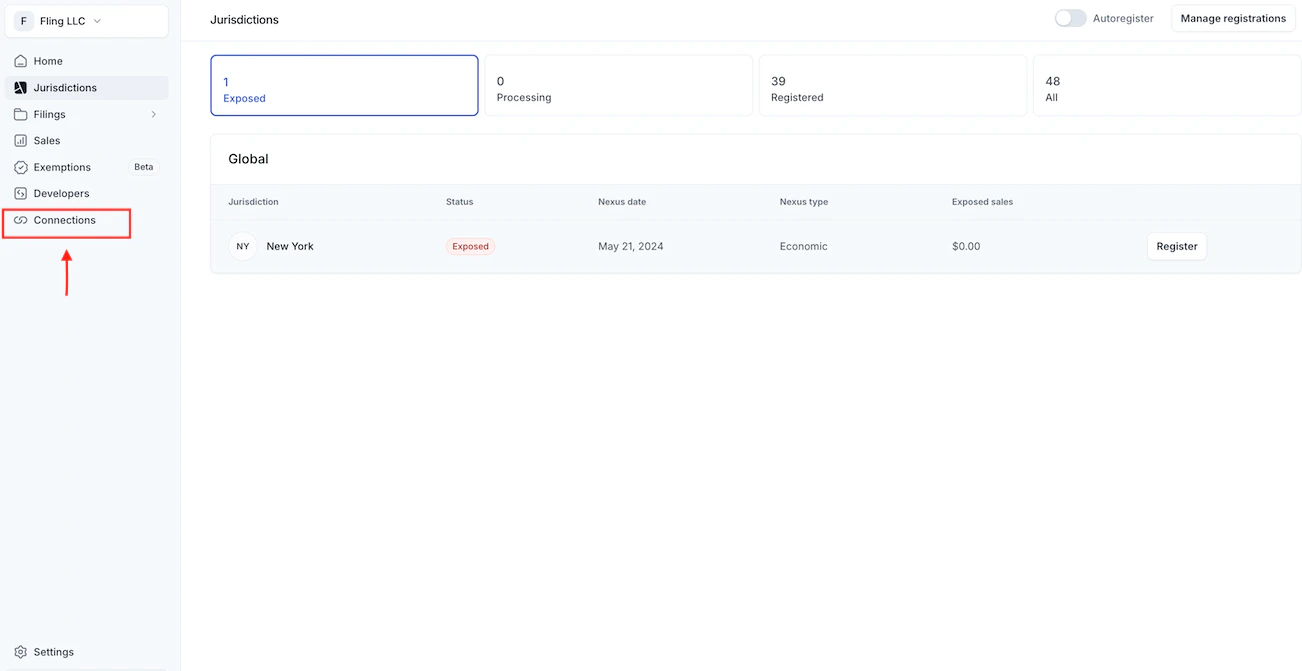
Head over to the Connections tab in the left-hand menu.
-
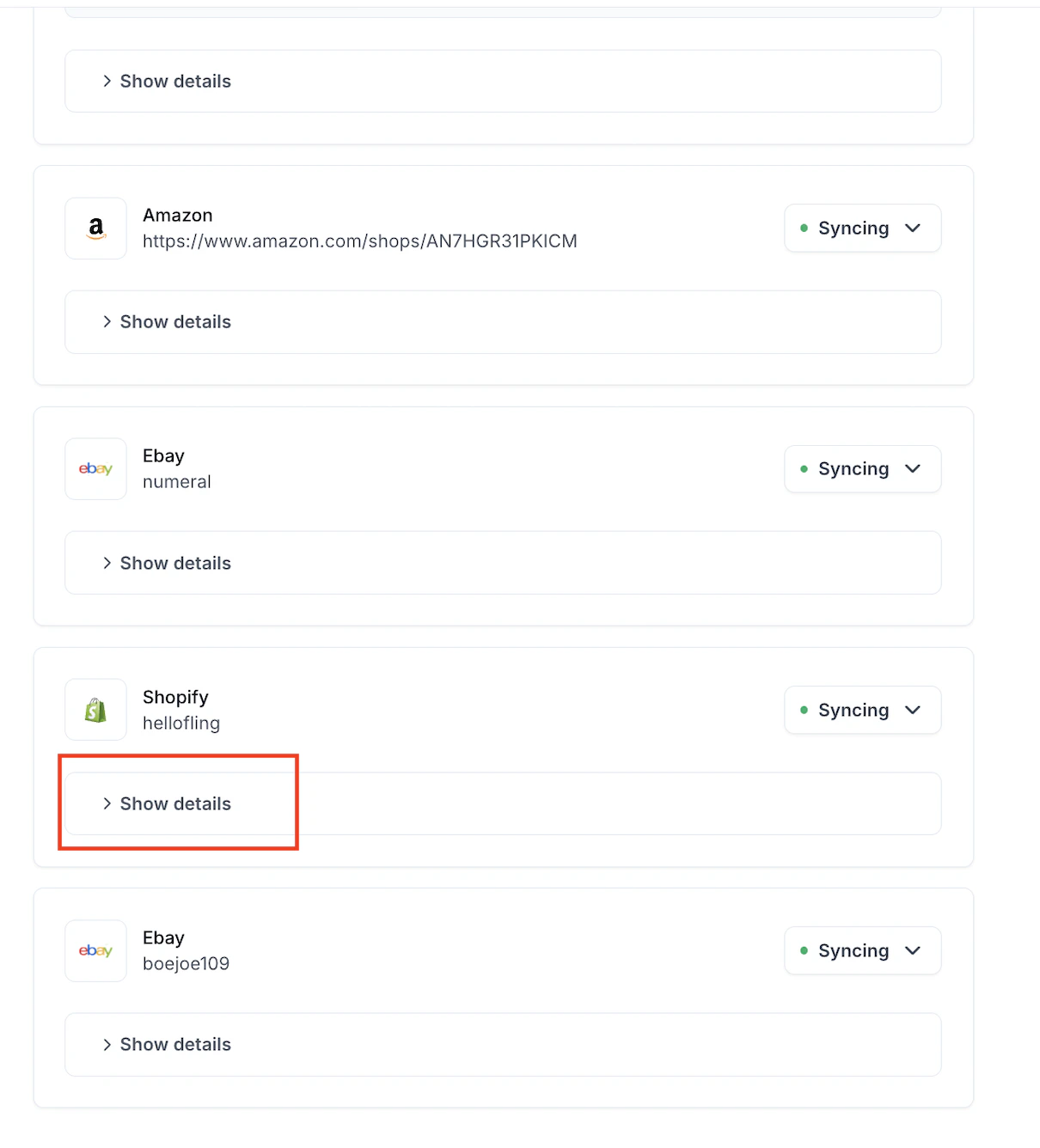
Click Show Details in your Shopify Store.
-
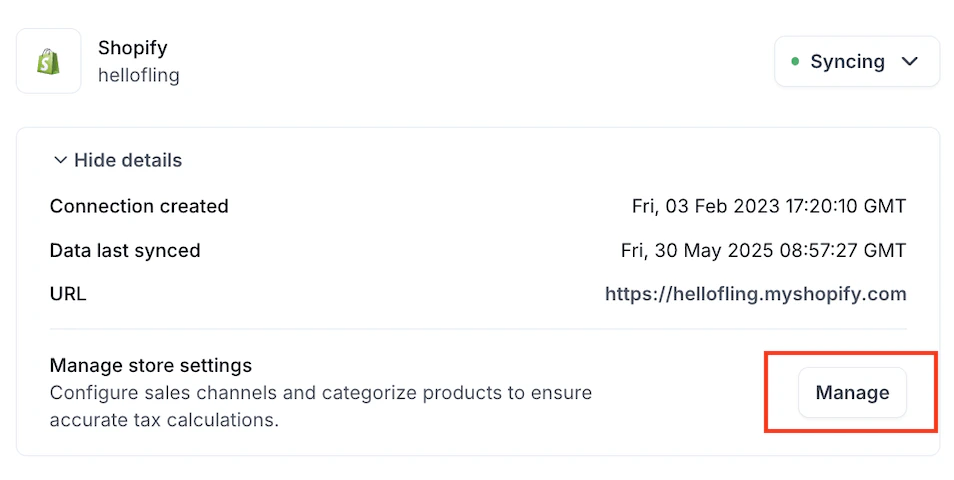
Click Manage.
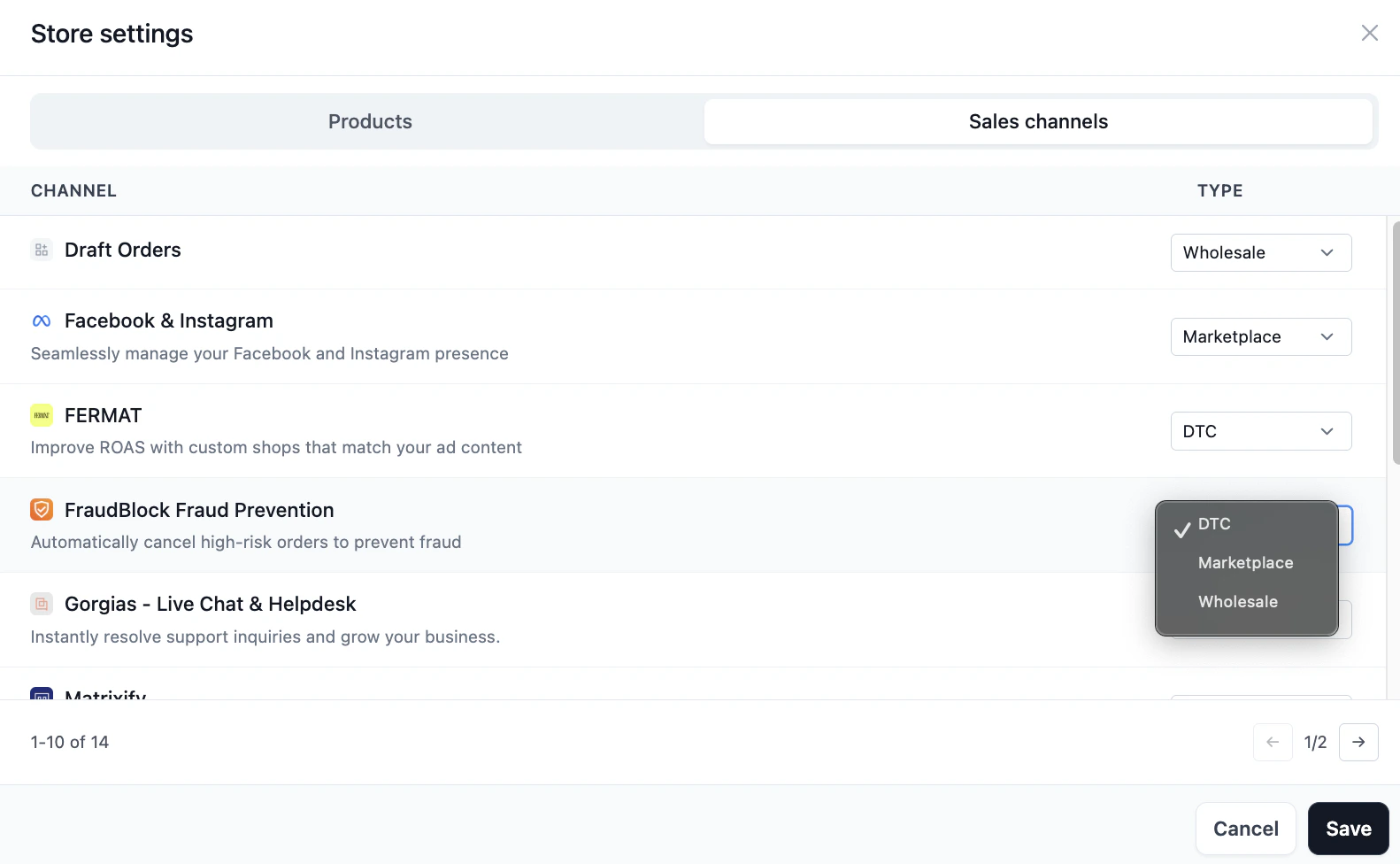
- Select Sales Channels.
-
Use the dropdown menu to select DTC (Direct to Consumer), Marketplace, or Wholesale.
- Click Save.