> ## Documentation Index
> Fetch the complete documentation index at: https://docs.numeral.com/llms.txt
> Use this file to discover all available pages before exploring further.
# Rillet
> Automatically calculate, track, and file sales tax on your Rillet invoices — bringing you closer to a zero-day close.
Rillet and Numeral work together to make sales tax compliance fully automated. Once you connect Numeral to Rillet, sales tax is calculated on your invoices in real time, transactions sync to Numeral automatically, and you can pull sales tax reporting from either platform.
**What you'll set up in this guide:**
* Connect your Numeral and Rillet accounts with an API key
* Configure a webhook so Rillet sends invoice and payment events to Numeral
* Confirm that sales tax is calculating and syncing automatically
* Find your sales tax reporting in both Numeral and Rillet
**Before you begin,** make sure you have a Numeral account and a Rillet account with permission to generate API keys and create webhooks.
***
## Step 1 — Connect Numeral to Rillet
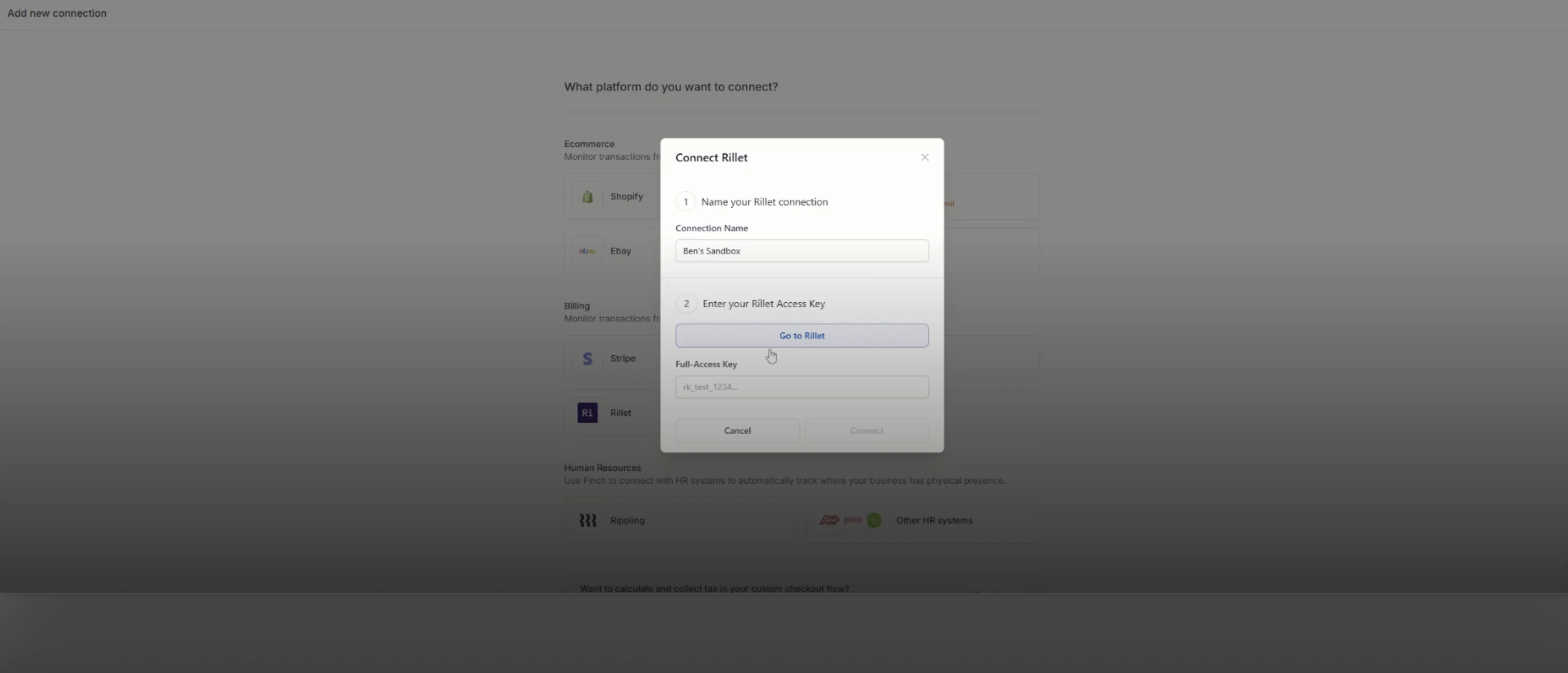
1. In **Numeral**, open **Connections** and select **Rillet**.
2. Give your connection a name (for example, name it after your Rillet sandbox or environment).
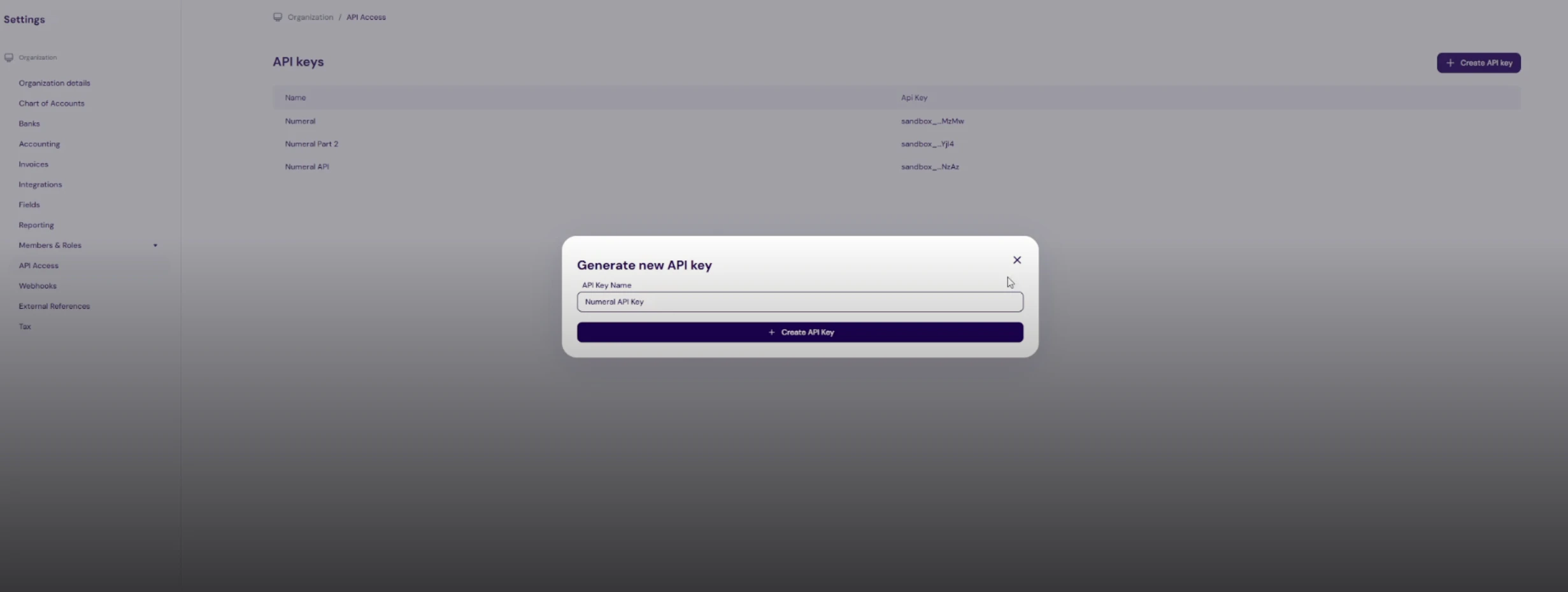
3. In **Rillet**, generate a new **API key** and give it a name.
4. Copy the API key and paste it into **Numeral**.
5. Click **Connect**.
 ***
## Step 2 — Set up the Numeral webhook
The webhook lets Rillet notify Numeral whenever an invoice or payment changes, so your tax data always stays in sync.
1. In **Numeral**, click **Copy Numeral webhook URL**.
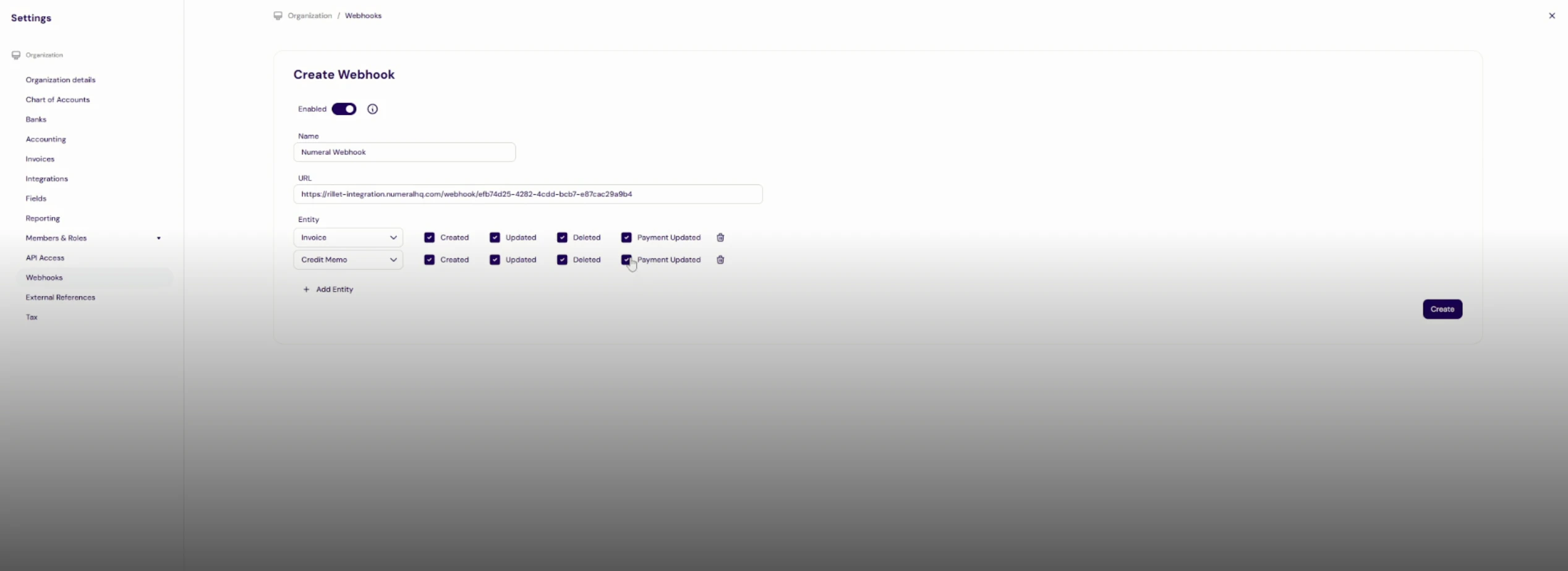
2. In **Rillet**, open the **Create webhook** page.
3. Name the webhook and paste in the Numeral webhook URL.
4. Select the events to send for invoices: **Created**, **Updated**, **Deleted**, and **Payment Updated**.
5. If there are other entities that you would also like Numeral to manage (like Credit Memos), add that entity, and add all four of the events as with invoices.
6. Click **Create**.
7. Open the webhook you just created and copy its **signing token**.
8. Back in **Numeral**, paste the signing token and click **Continue**.
Rillet is now connected to Numeral.
***
## Step 2 — Set up the Numeral webhook
The webhook lets Rillet notify Numeral whenever an invoice or payment changes, so your tax data always stays in sync.
1. In **Numeral**, click **Copy Numeral webhook URL**.
2. In **Rillet**, open the **Create webhook** page.
3. Name the webhook and paste in the Numeral webhook URL.
4. Select the events to send for invoices: **Created**, **Updated**, **Deleted**, and **Payment Updated**.
5. If there are other entities that you would also like Numeral to manage (like Credit Memos), add that entity, and add all four of the events as with invoices.
6. Click **Create**.
7. Open the webhook you just created and copy its **signing token**.
8. Back in **Numeral**, paste the signing token and click **Continue**.
Rillet is now connected to Numeral.
 ***
## Step 3 — Automate sales tax on your invoices
1. In **Rillet**, create a **new invoice**.
2. Select your **customer** and your **product**, then click **Save**.
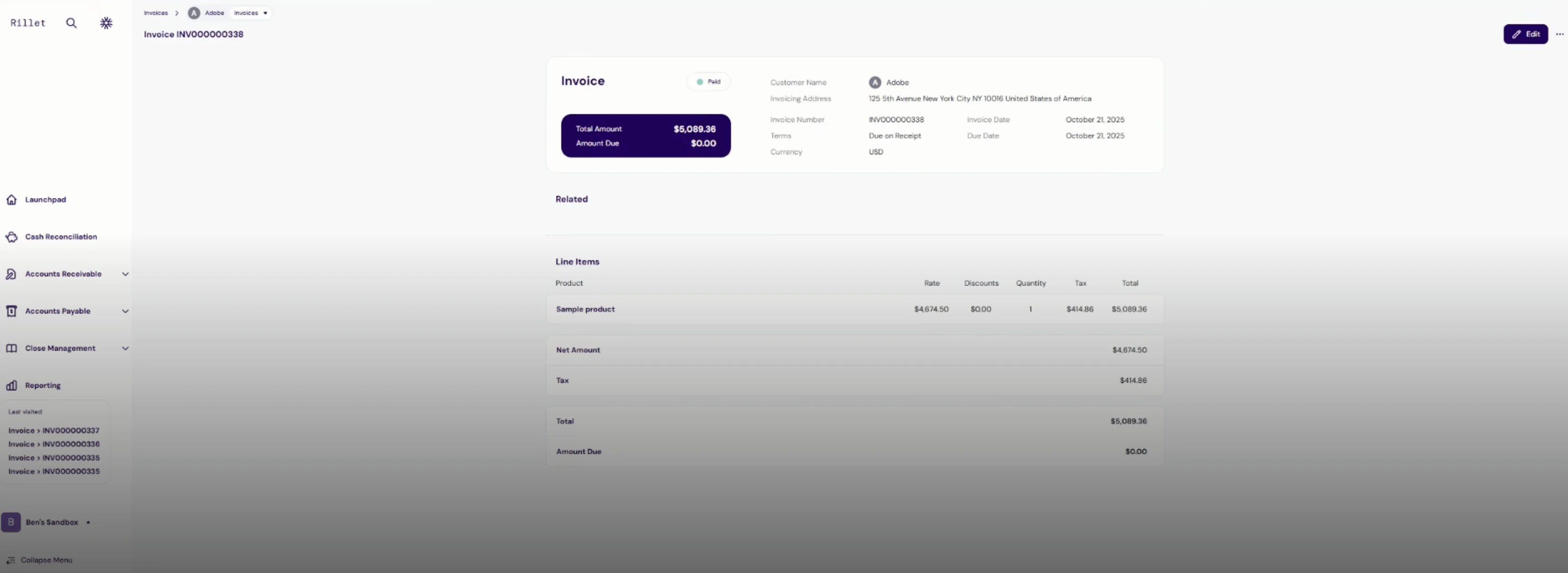
3. Open the invoice — Numeral has **automatically calculated and added the sales tax**.
4. When the invoice is marked **Paid** (amount due \$0.00), the transaction is finalized and ready to sync.
***
## Step 3 — Automate sales tax on your invoices
1. In **Rillet**, create a **new invoice**.
2. Select your **customer** and your **product**, then click **Save**.
3. Open the invoice — Numeral has **automatically calculated and added the sales tax**.
4. When the invoice is marked **Paid** (amount due \$0.00), the transaction is finalized and ready to sync.
 ***
## Step 4 — View transactions in Numeral
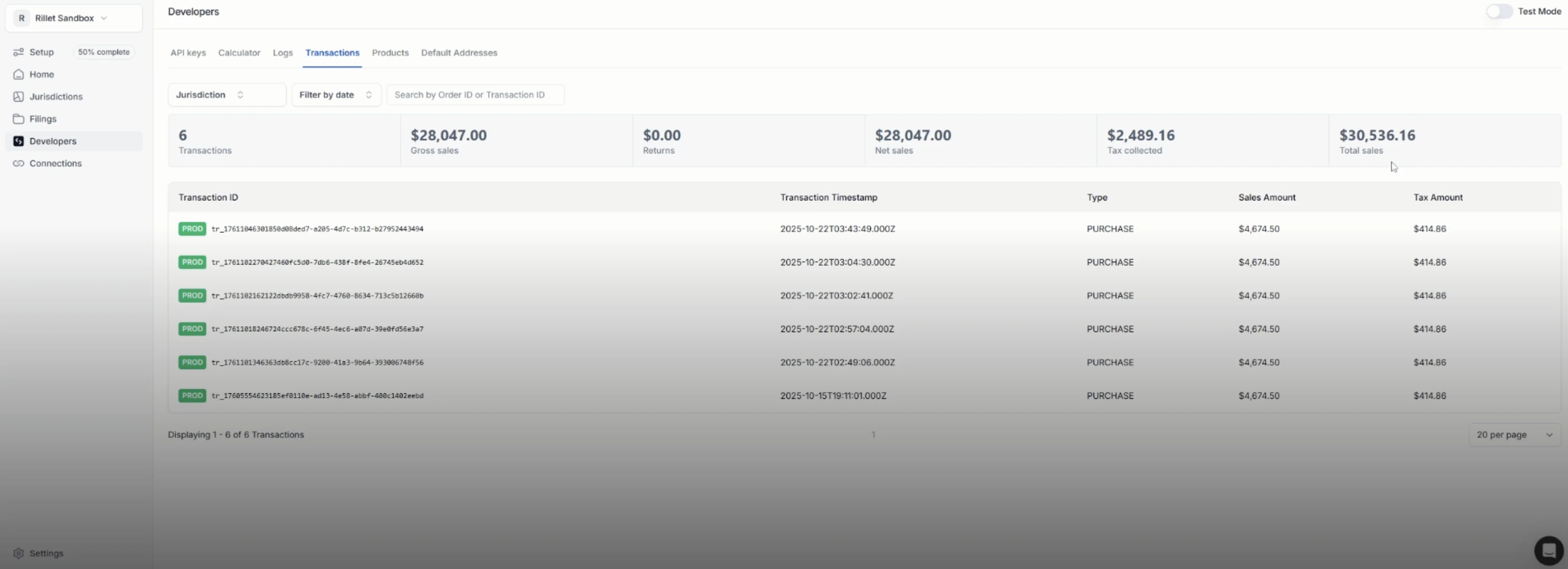
1. In **Numeral**, open **Transactions**.
2. Your Rillet transaction appears **automatically** — no manual upload required.
3. Numeral tracks your **total transactions, gross sales, net sales, tax collected, and total sales**, which form the basis for your automated sales tax filing.
***
## Step 4 — View transactions in Numeral
1. In **Numeral**, open **Transactions**.
2. Your Rillet transaction appears **automatically** — no manual upload required.
3. Numeral tracks your **total transactions, gross sales, net sales, tax collected, and total sales**, which form the basis for your automated sales tax filing.
 ***
## Step 5 — View your sales tax report in Rillet
You can review the same sales tax data directly inside Rillet.
1. In **Rillet**, go to **Reporting** → **Sales tax report**.
2. Filter to the **period** you want to review.
3. Review the **tax amount**, the **transaction detail**, and the underlying **invoices**.
***
## Questions?
Send us a message through the **message widget** in the bottom-left corner of your Numeral dashboard, and our team will help you get set up.
***
## Step 5 — View your sales tax report in Rillet
You can review the same sales tax data directly inside Rillet.
1. In **Rillet**, go to **Reporting** → **Sales tax report**.
2. Filter to the **period** you want to review.
3. Review the **tax amount**, the **transaction detail**, and the underlying **invoices**.
***
## Questions?
Send us a message through the **message widget** in the bottom-left corner of your Numeral dashboard, and our team will help you get set up.